
Host a private session
- Load the host’s campaign. From the ship, pause the game and open CO-OP. Choose HOST A SESSION.
- Confirm the lobby is live. Check for your own name in Crew, a host marker, and a count of 1/8. The Friends list and Invitation Code should also be visible.
- Set who can enter. Leave Open session off for a private crew. The separate Crew wallet setting controls spending permissions.
- Send the invite. Find your friend in Friends and click + on their row. When it changes to a check mark, the invitation has been sent.
- Wait for a name in Crew. With one friend, the count should go from 1/8 to 2/8 and the guest’s name should appear. Choose Back to Game and look for each other in the hangar.
Join a friend from Steam or with a code
If the game or Steam presents the invitation, accept it and wait for the host to confirm your name in Crew. With a code, the host can copy it using the icon beside Invitation Code. In your CO-OP panel, paste it in the Invitation Code field and choose Join. Ask the host to confirm your arrival before launching.
If you’re in the same session but can’t see your teammate, try the crew finder. Its default binding is the middle mouse button. Look for a name, distance, and outline.
If a guest can’t join
| What you see | What to try |
|---|---|
| The invite has a check mark but Crew stays at 1/8. | Keep the lobby open. Have the guest look for the invitation, or share the current lobby code so they can try Join in their CO-OP panel. Confirm their name before leaving the lobby. |
| The guest sees Update needed. | Check Steam for updates on both computers. Make sure you’ve both launched the same version, such as the demo. Restart both copies after updating and send a fresh invitation. |
| A guest was kicked, or the session stopped working after a host change. | Update both copies and start a fresh session from the intended host’s campaign. Send a new invitation and confirm the guest is visible in the hangar before taking off. |
Launch and return as a crew
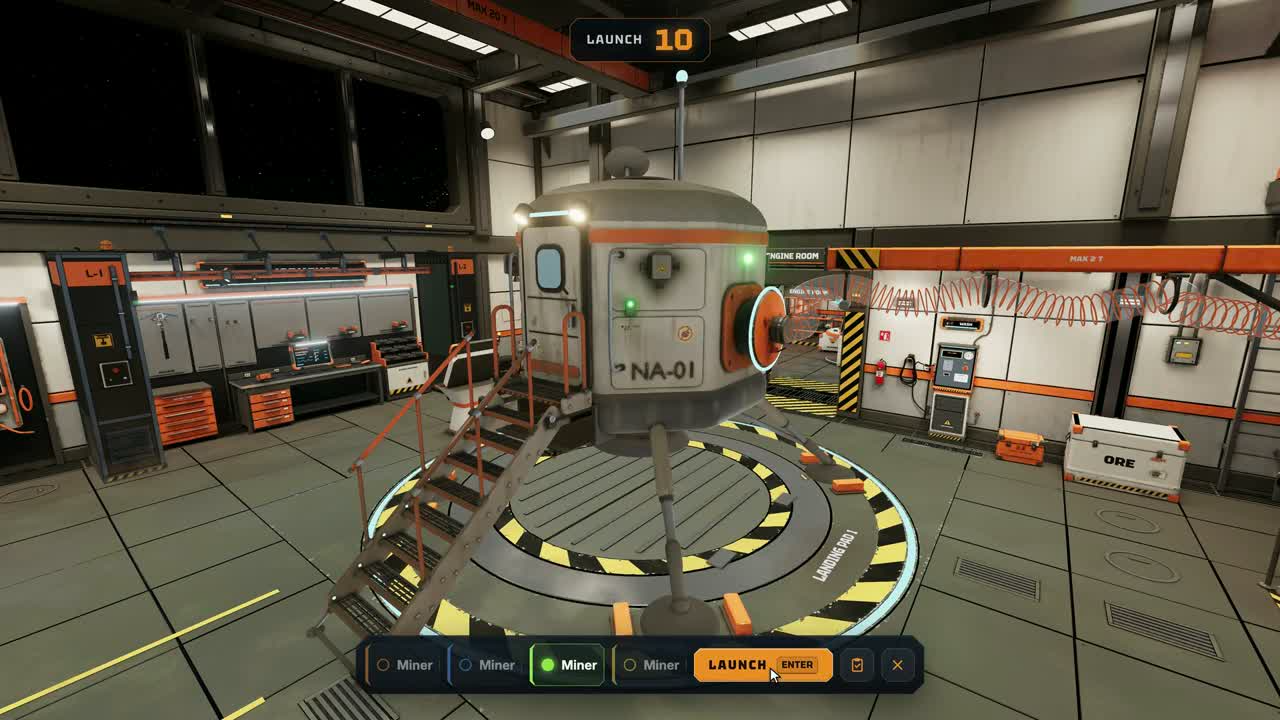
- Have everyone take a lander seat and check the occupied slots before choosing Launch. Anyone seated can start the 10-second countdown.
- Back on the rock, tell the crew when you’re heading for the lander. At the hatch, use the boarding prompt and check that everyone is ready before starting the return countdown.
- If someone misses the return, they can pass out and drop their cargo. Leave enough air for the farthest player to reach the hatch.
- If a second lander appears or the host launches without the crew, hold off on another launch and regroup at one lander. The shared shift is meant to use a single lander. The November 20 demo update addressed a case where a player recovering on the ship could start a separate launch. If your session still splits, regroup in the host’s campaign before retrying.
Crew wallet, equipment, and saves
The ship’s earnings go into the crew wallet. The host manages spending and the campaign is stored in the host’s save. Guests keep their own campaigns.
On the host panel, Crew wallet has the choices Everyone, Friends, and Host. Before buying anything, agree on who is spending the shared funds. If a crew member can’t buy an item, check the wallet setting with the host and have the host make the purchase if needed.
The November 22 demo update added a personal loadout option. With it enabled, your personal equipment is retained between sessions while the crew wallet stays shared. Check which mode your crew uses before planning a purchase.