
Turn your cargo into cash
- Return to the mothership with ore still in your cargo. Find the console labeled TRADE TERMINAL and interact with it.
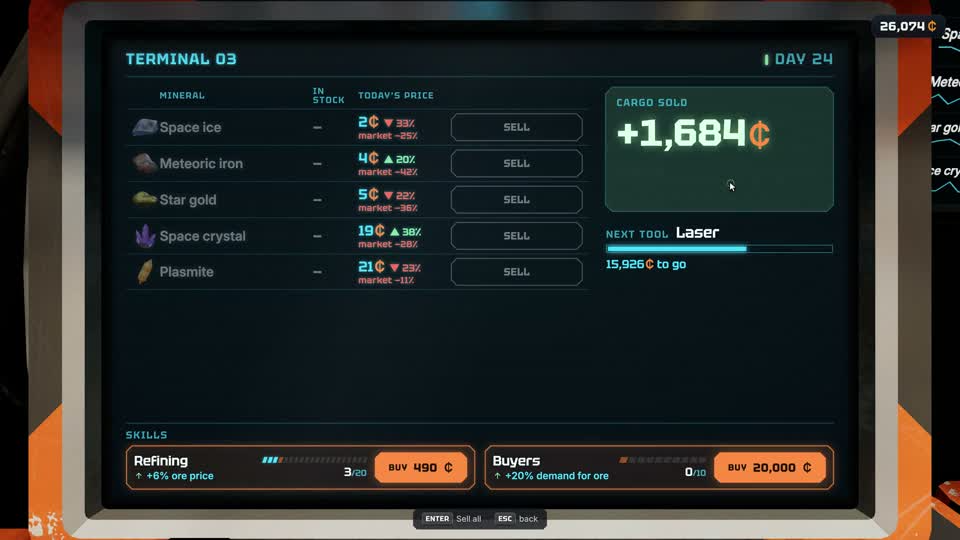
- Read In stock to see which ores you brought back. Check the amount next to SELL for each ore. Cargo value is the total for the haul.
- Choose Sell all when you’re ready to sell the entire haul. On the demo’s keyboard controls, press Enter.
- Confirm that CARGO SOLD appears or that the stock and your balance update. In one early run, 40 units of Meteoric Iron were worth 158, and the balance rose by 158 after the sale. Use the quote on your own terminal to check your payout.
If the terminal has nothing to sell
If In stock is empty, check what you brought aboard. On your next shift, watch CARGO rise as you mine, check it again at the lander, and check the terminal after you return. Follow the first-shift route if you’re missing the boarding prompt or losing cargo on the way back.
Tell sale proceeds from an order reward
Write down your balance before leaving the mothership, again after returning, then once more after selling. A completed order can pay on return while the ore is still in stock. Only the last balance change comes from the sale. Follow an example Star Gold order to see how both payments show up.